
Here you will learn how to create a Form without needing to create a Page. This way, the page display will only contain the Form you want to share. Here are the steps:
- Go to the 'Form' menu.
- Select the Form you want to use.
- First, create the Form with the columns you want.
- Once you have entered Form Compose, in Form Setting, select Form Detail and click the 'Instant Form Setting' button.
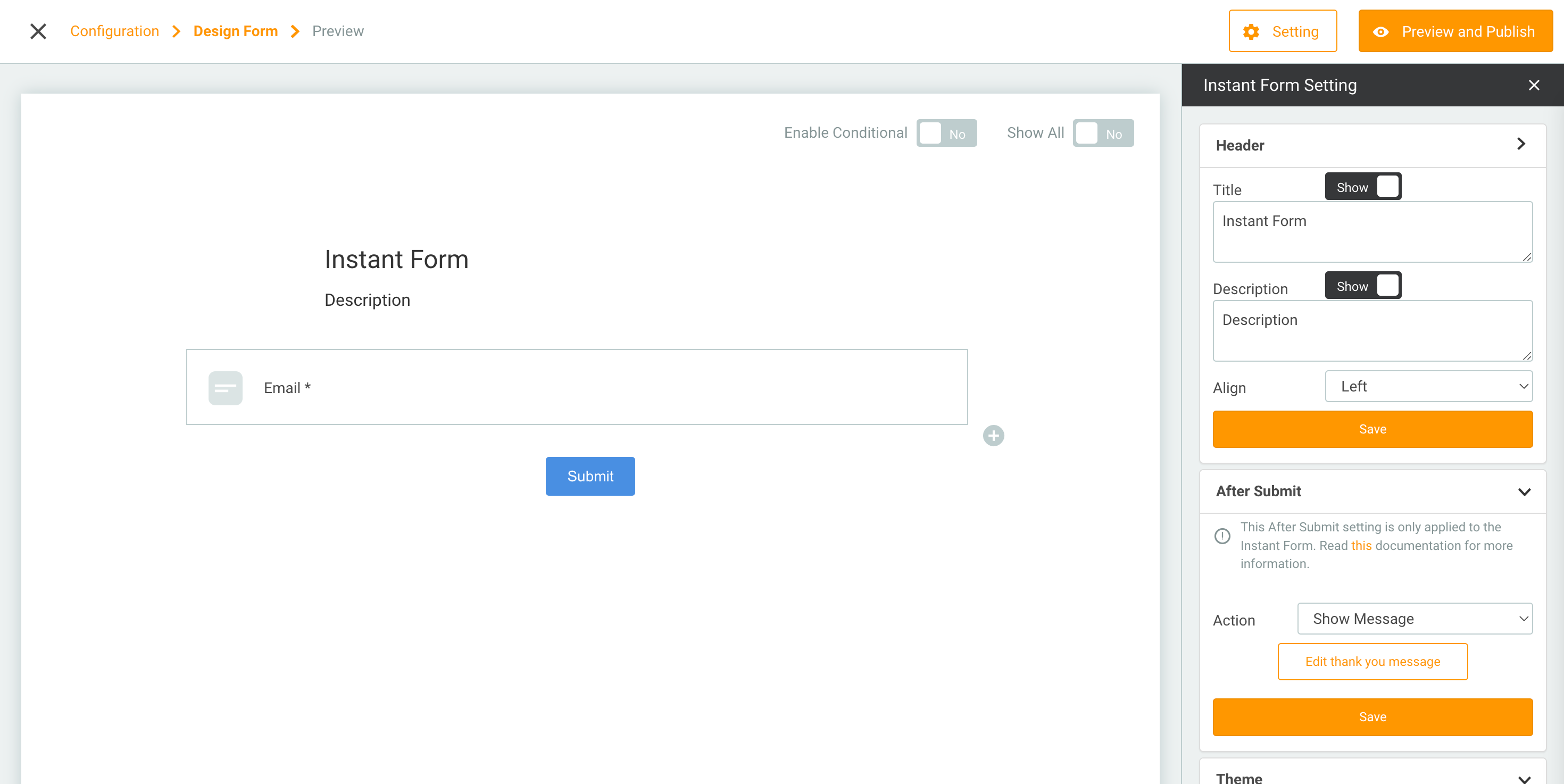
Here are the options for each configuration:
- Header: To set the title and description on the Form page.
- After submit: To set actions after the Form is submitted by the visitor.
- Theme: The theme you want to use on the Form page. You can also display the logo on the Form page.
- If you have created the desired Form, click the 'Preview and Publish' button.
- Return to the Form menu. Click the 'More' button from the Form campaign you have created. Then select 'Instant Form'.
- Form link will appear that you can share.