
In the Event Management feature, you can manage participant data including adding it to the system. There are two choices you can choose, namely through importing data and adding data manually.
- Import data
Before importing data, make sure the file you have is a .CSV file so that the data is uploaded successfully. Here's how to import data:
- Enter the 'Registrant' menu.
- Click the 'Import' button.
- Information will appear as follows. Select product categories and coupons from the data you want to upload. Then select the data that you want to upload.
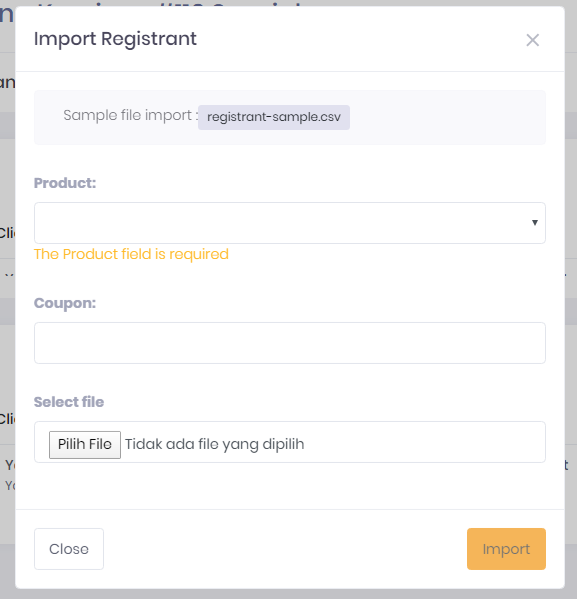
- When finished, click the 'Import' button.
- Add data manually
- Enter the 'Registrant' menu.
- Click the 'Add Registrant' button.
- Information will appear as follows, then you can fill in according to the participant's personal data.
- When finished, click the 'Add Registrant' button.
If you have finished adding participant data, it will then appear on the 'Registrant' menu.