
In this article you will learn about editing emails on tickets and participant payments. Here are the steps:
- Enter the 'Email Configuration' menu.
- You will find info about e-mail for tickets and payment as in the image below
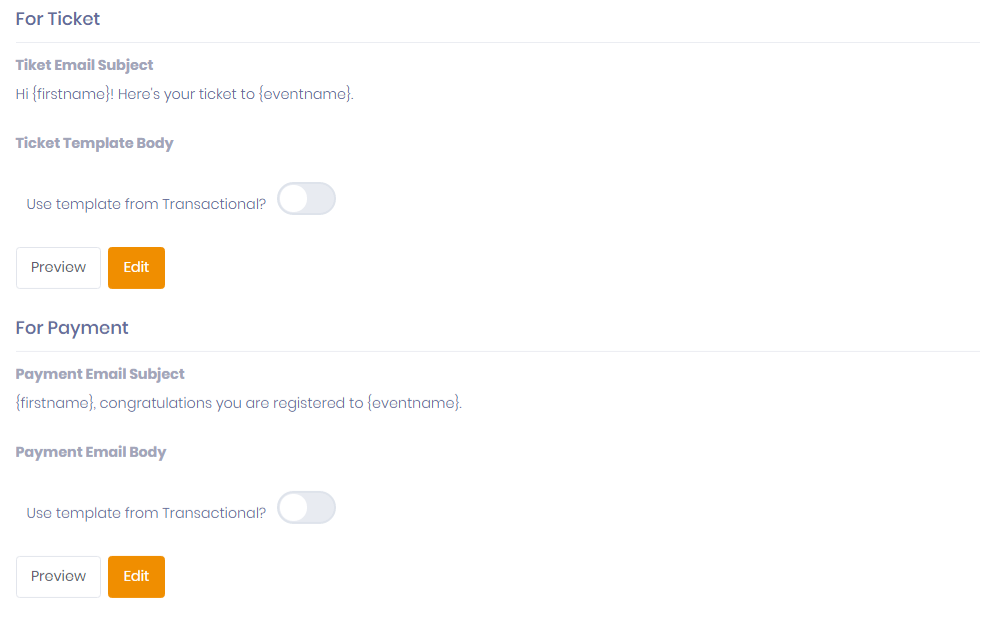
You can see a preview of an e-mail and also edit it. You can also use templates from transactional emails if you have them.
- Click the 'Edit' button to edit the contents of the email.
- You will enter compose email to edit the contents of the email.
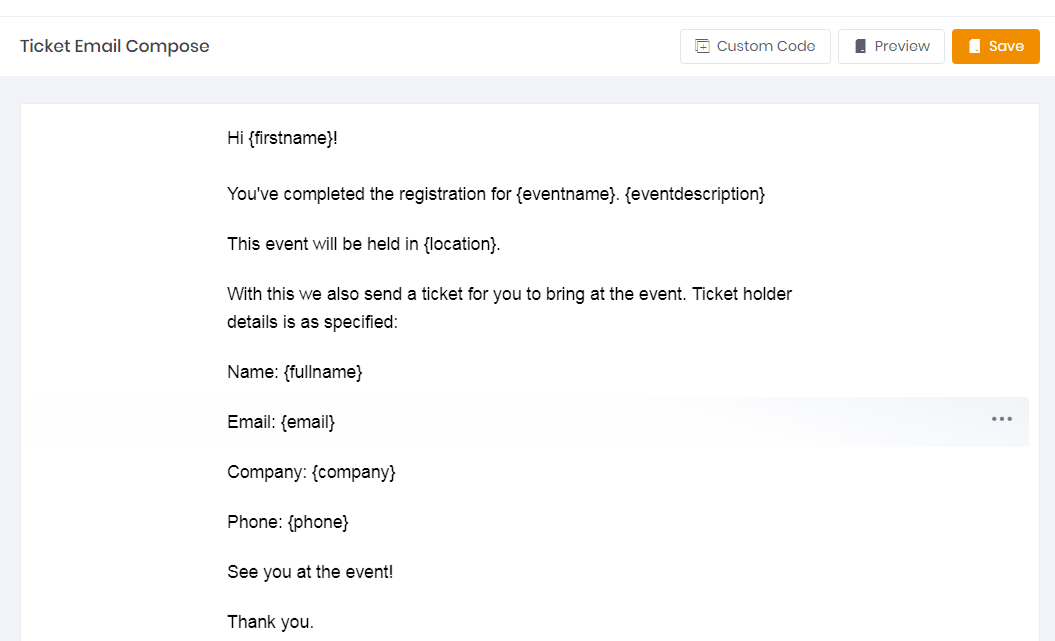
Here are some key functions in email compose:
- Custom Code: Contains tag fields that you can attach according to the participant's personal data, such as first name, event name, email address and others.
- Preview: To see how the email will be sent.
- Save: To save the email format that you have edited.
To edit the email text, there is a dropdown button on the right side to increase and decrease the order of the text, also delete the text.
** Note: ** This email is based on transactional email, so you can only send text e-mails without images.
- When finished, click the 'Save' button.