
In this article, you will learn how to integrate the Mailtarget Page feature with Blogger. There are 2 types of integration here, namely by Embed (users can determine where the page will be displayed) and Pop-Up (users can display pop-ups on their website).
Before you do this, make sure you have created a Page that will be installed on blogger.com. If you have done so, here's how to embed and install a pop-up on your blog. To get the embed or pop-up code, you can go to the Page menu and click the share button. A pop-up like this will appear.

Embed
You can embed the Mailtarget page where you want.
- Log in to your blogger.com account.
- Then select 'theme' and click the 'edit HTML' button.

- You will then be presented with the HTML script display, as shown below.
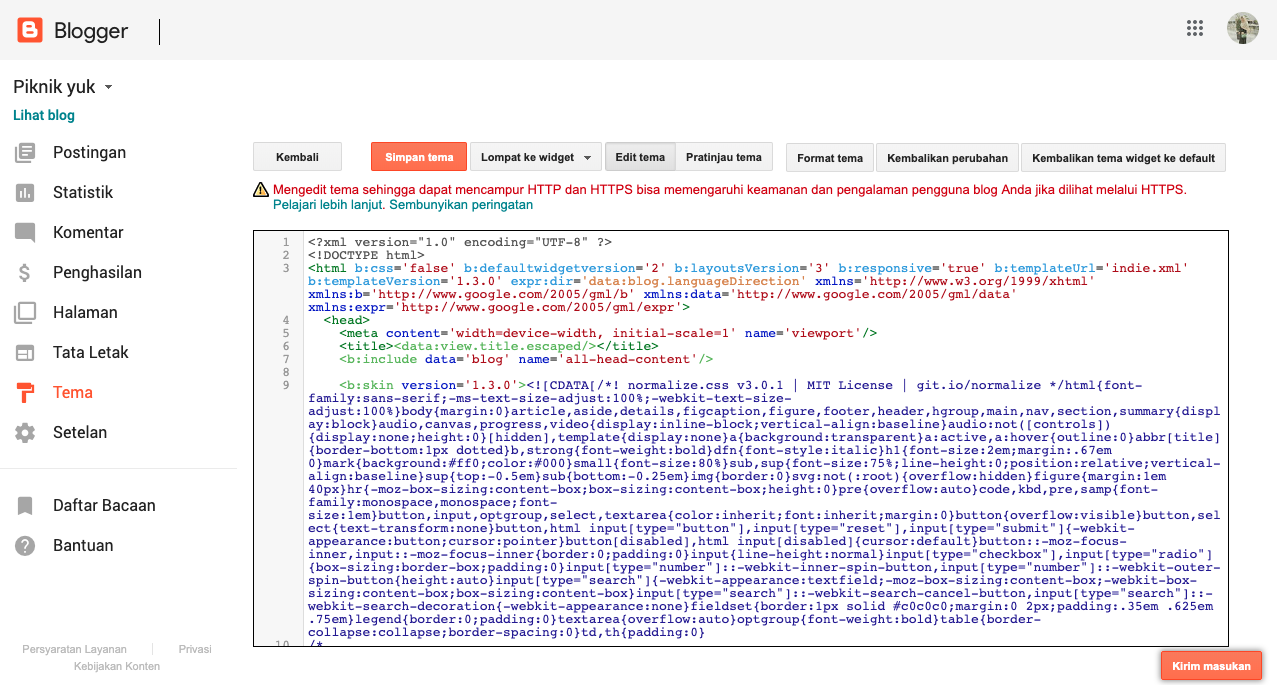
- Then find the tag (you can use the shortcut ctrl + F).
- Once found, paste the script from the Mailtarget guide before the tag.

Like the image below.

- After doing the above steps, the next step is to copy this script.

- Then paste the script before the tag.

- Then save the theme.
- Select the post you want to embed, then edit the post. Then in compose mode, select the HTML button.

- After the HTML compose comes up, you can determine the location where the Mailtarget page will appear. For example: below the calorie text.
- Then paste the script from the Mailtarget guide below. in the location you want.

- Here are the results.

Pop-Up
- Log in to your blogger.com account.
- Then select 'theme' and click the 'edit HTML' button.
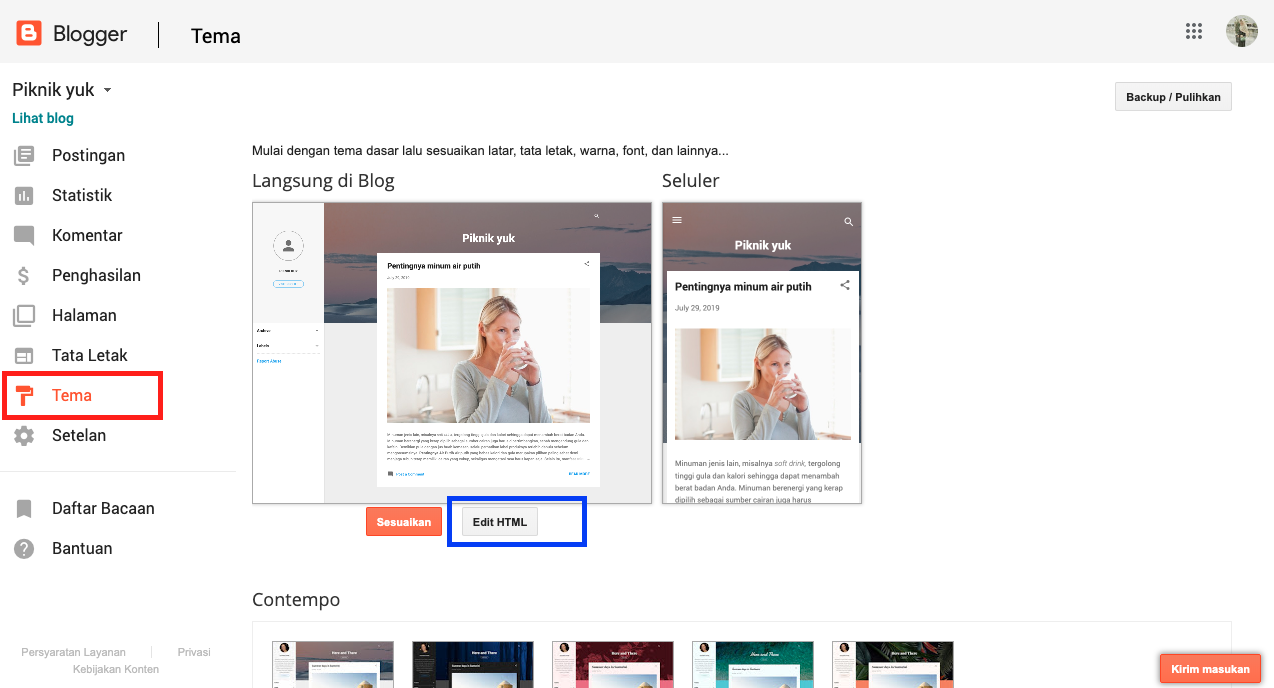
- You will then be presented with the HTML script display, as shown below.
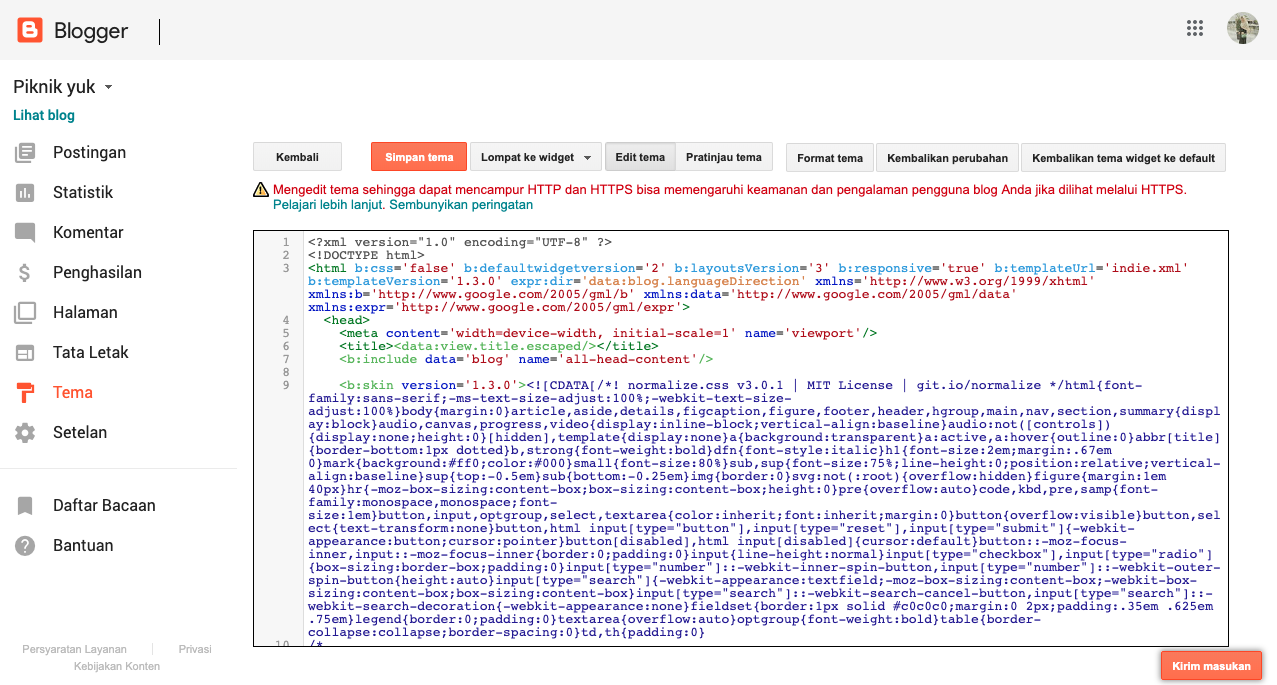
- Then find the tag (you can use the shortcut ctrl + F).
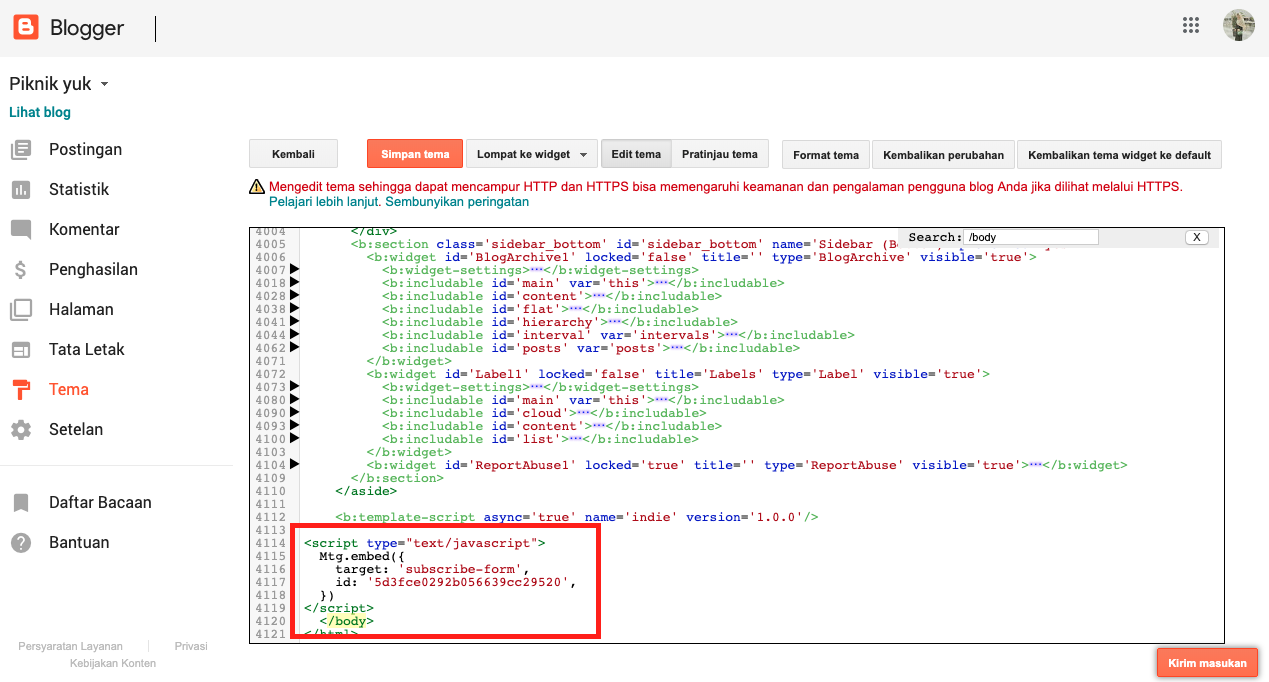
- Once found, paste the script from the Mailtarget guide before the tag.

Like the image below.

- After doing the above steps, the next step is to copy this script.

- Then paste the script before the tag.
- Then save the theme.